Did Google recently enable mobile-first indexing for your site?
With Google’s mobile-first indexing, Google will use the mobile version of the pages for indexing (although if the site has separate mobile and desktop URLs, searchers will still see the desktop version of the URLs when searching on a desktop device).
Google has said they switch sites as they determine a site is generally the same on desktop and mobile devices and the impact should be neutral.
You can check a few data points to ensure everything has gone smoothly and that your site isn’t experiencing any Google organic issues as a result.
If Google hasn’t enabled mobile-first indexing for your site or you aren’t sure, this post will also outline how to watch out for the switch and prepare.
How To Know When Google Has Enabled Mobile-First Indexing
Log into Google Search Console and click Go to the old version in the lower right corner. Google hasn’t yet moved their message center to the new version. Next, click Messages in the left navigation menu.
Note that when you are in a single property view, the messages inbox shows messages for that property. Click the Search Console link just under the Google logo in the upper left to access the account view, then click All Messages in the left navigation menu to see messages for all properties in the account.
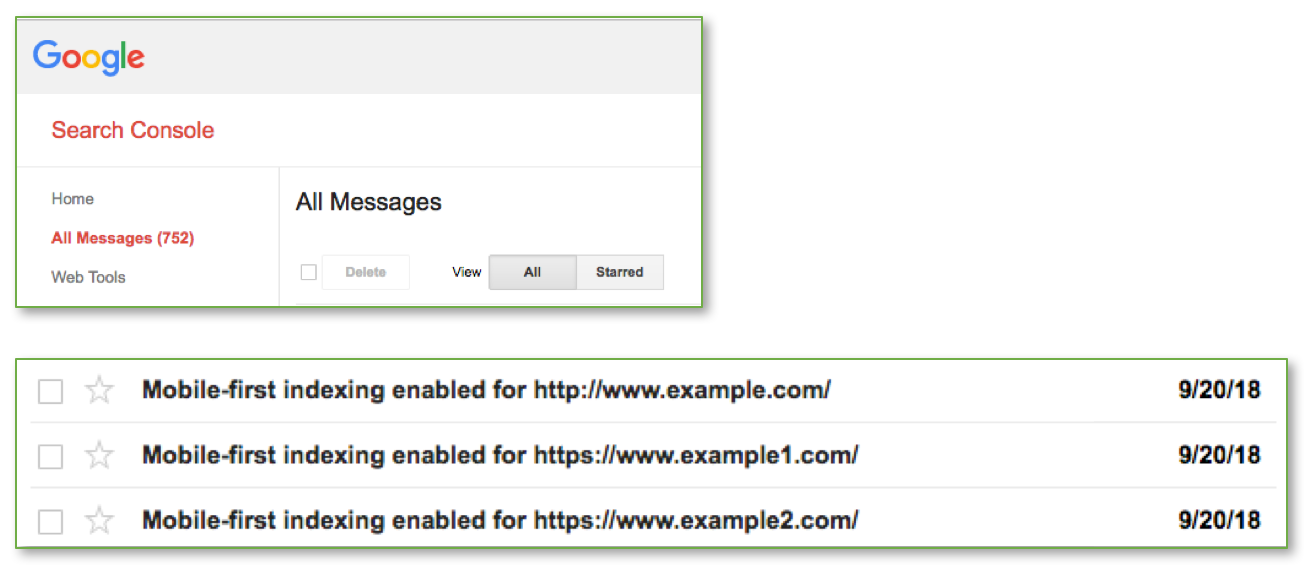
Google’s message says:
“This means that you may see more traffic in your logs from Googlebot Smartphone. You may also see that snippets in Google Search results are now generated from the mobile version of your content.
Background: Mobile-first indexing means that Googlebot will now use the mobile version of your site for indexing and ranking, to better help our (primarily mobile) users find what they’re looking for. Google’s crawling, indexing, and ranking systems have historically used the desktop version of your site’s content, which can cause issues for mobile searchers when the desktop version differs from the mobile version. Our analysis indicates that the mobile and desktop versions of your site are comparable.”
Monitoring Server Logs for Googlebot Activity
As Google notes in their message, you’ll see more requests from Googlebot Smartphone in your server logs once Google has made the switch. The typical Googlebot behavior generally follows this timeline:
- More requests from Googlebot desktop than Googlebot smartphone (before mobile-first indexing)
- Spike in requests from both Googlebot desktop and Googlebot smartphone
- More requests from Googlebot smartphone than Googlebot desktop
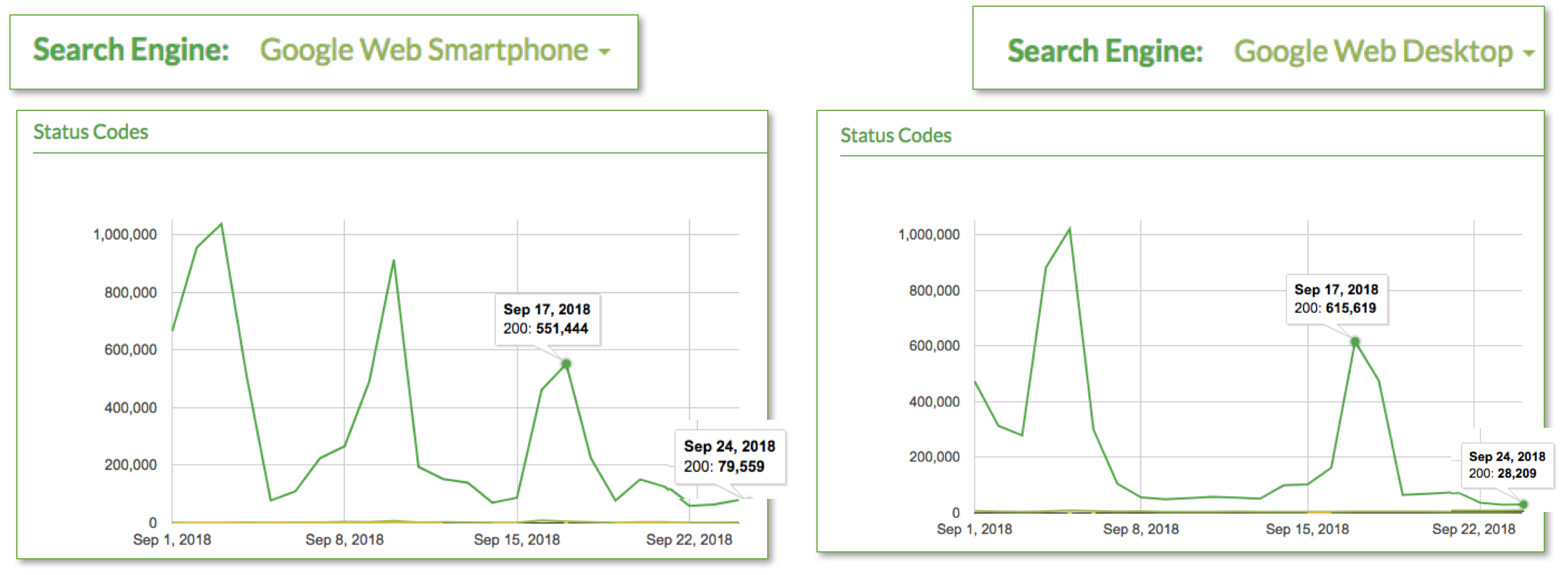
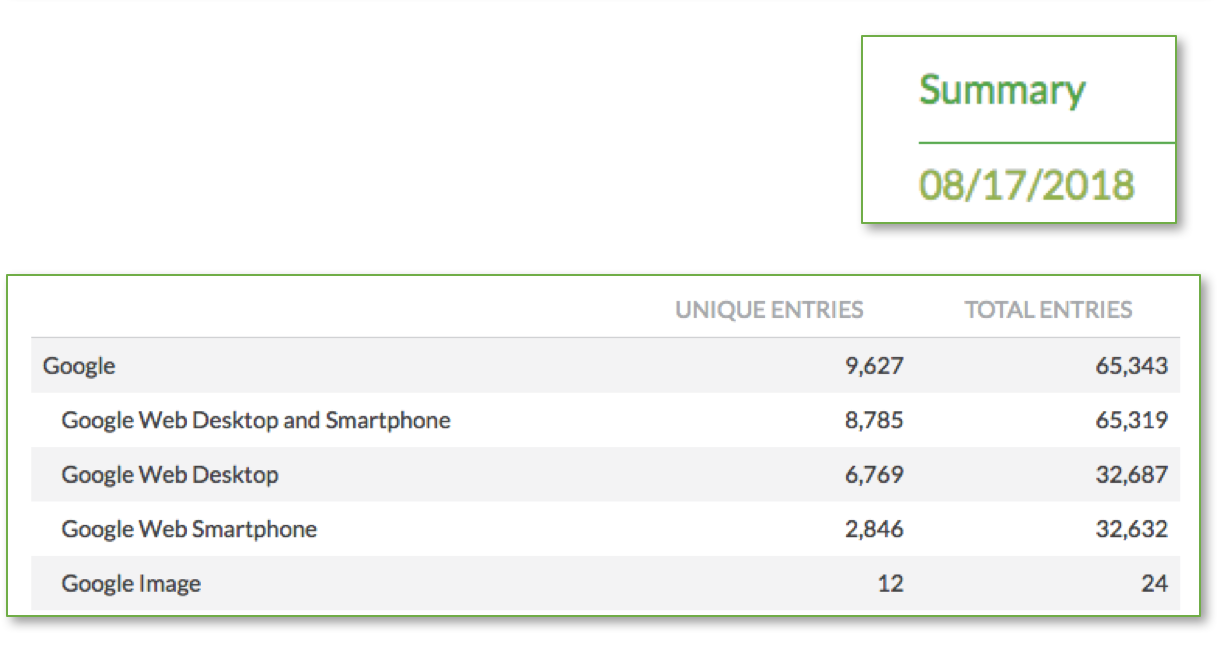
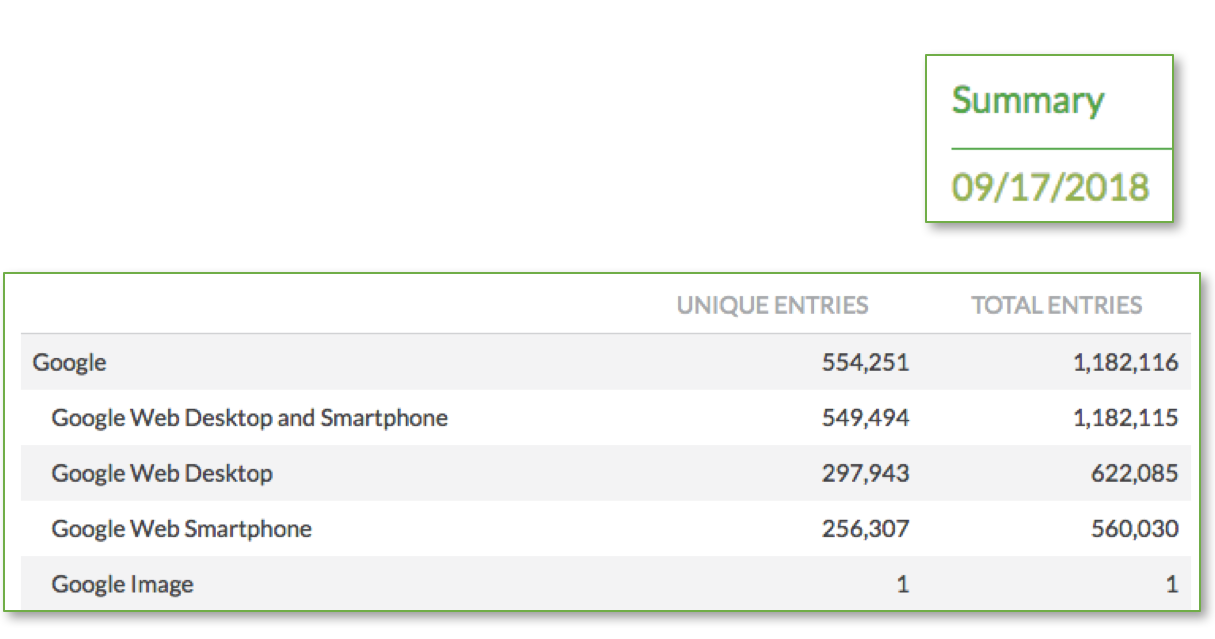
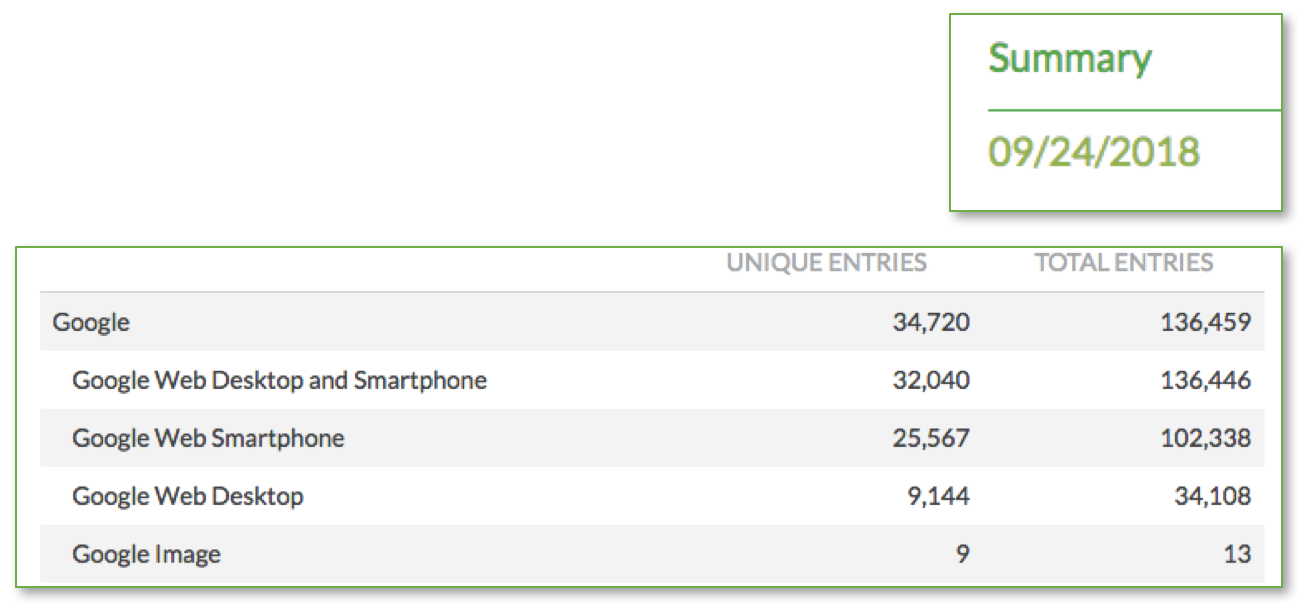
Keylime Toolbox Crawl Analytics monitors Googlebot crawl activity and provides charts and data to help monitor this, as you can see below. With this site, the crawl spike happened on 9/17/8. Before the spike, Googlebot desktop crawled the site more often and after the spike, Googlebot smartphone is now crawling the site more often. (You can click the image to see a larger version: for this site, on 9/24/18, Googlebot smartphone was crawling around 80k URLs a day and Googlebot desktop was crawling around 28k URLs a day.)
 If you don’t already use Keylime Toolbox Crawl Analytics, you can subscribe for only $49/month per domain by emailing us at support@keylimetoolbox.com. We’ll walk you through how to get an automated import set up of daily server log files (and if you have historical files, we can import those as well).
You can also view your logs directly or can process them through another third-party log analyzer.
Note that the Google Search Console Crawl Stats are not the best way to monitor this type of crawl data, as those charts don’t segment Googlebot desktop vs. smartphone and include other crawler activity (like Adsbot-Google).
Monitoring Google Organic Ranking and Traffic Once Google Enables Mobile-First Indexing
Google has said that they’re enabling mobile-first indexing for sites as the sites are ready, and as they note in the message, when the two versions are comparable. This means that you shouldn’t see any impact to ranking or traffic with this change.
But it’s still a good idea to make sure that nothing is amiss. In particular, ensure the site hasn’t lost ranking or traffic from desktop devices.
With Keylime Toolbox, which provides detailed and trended data from Google Search Console and Google Analytics, you can easily see Google organic traffic and ranking patterns for mobile vs. desktop devices, for branded vs. non-branded traffic, and for categorized and individual queries. (You can also look at analytics data directly for traffic changes and can look at Google Search Console directly for overall traffic, ranking, and click through rate changes, but can’t as easily look at data segmented by query category.)
If you don’t use Keylime Toolbox, you can set up a free trial, which includes 16 months of historical data.
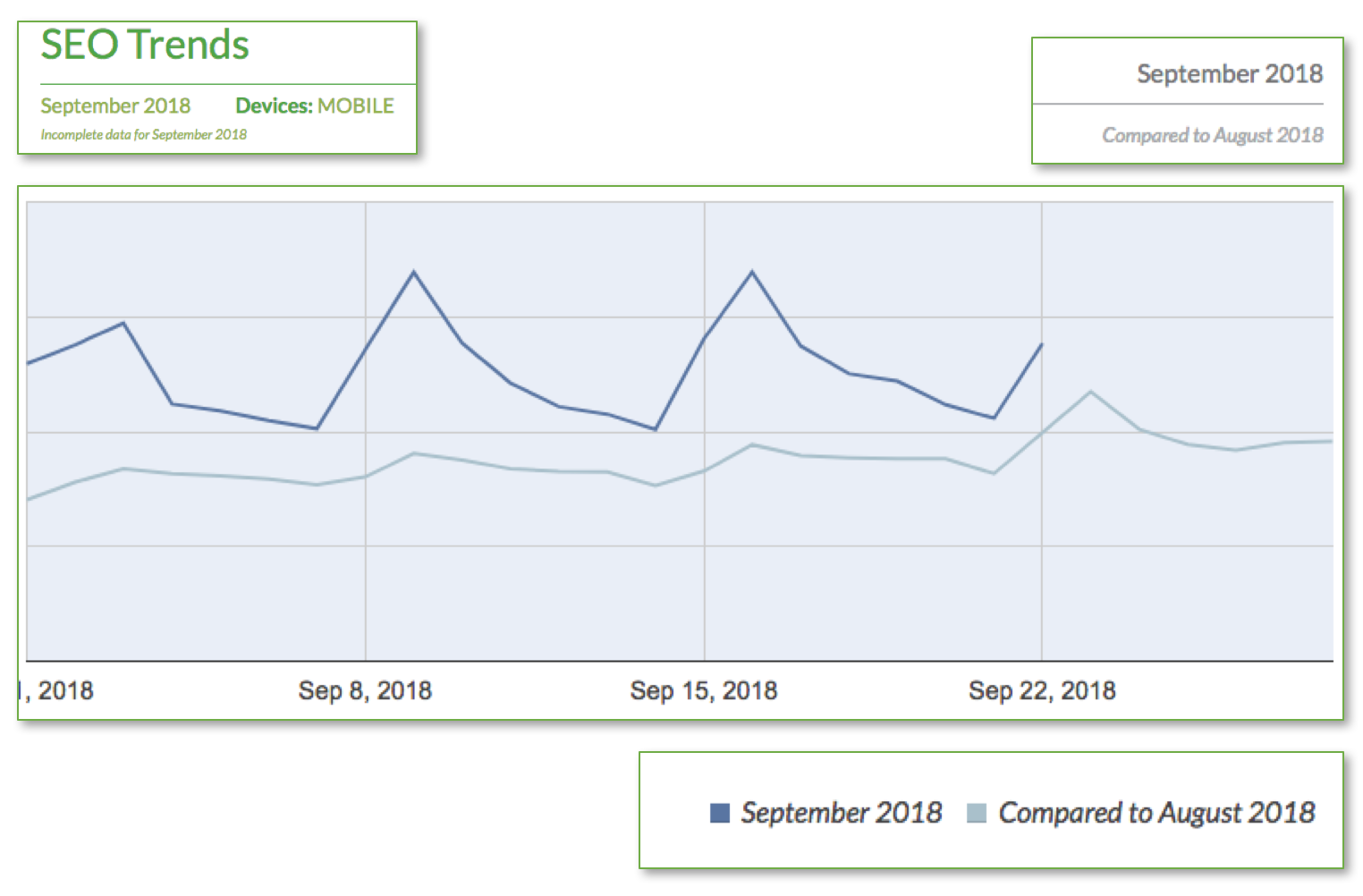
The example below compares all Google organic data for mobile devices from September 2018 data to August 2018.
For this site, mobile traffic is higher on weekends and you can see that after mobile-first indexing was enabled, the pattern remains steady.
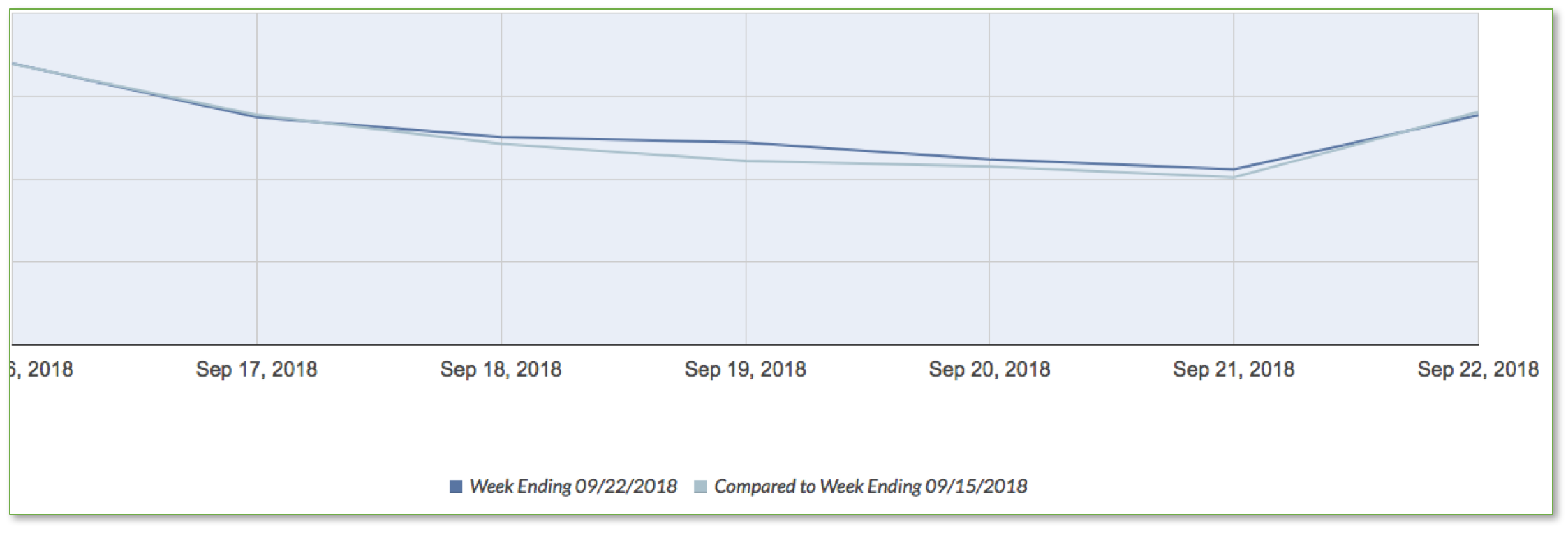
You can compare week over week (in this case, the week ending 9/22/18 compared to the week ending 9/15/18) for more granular analysis.
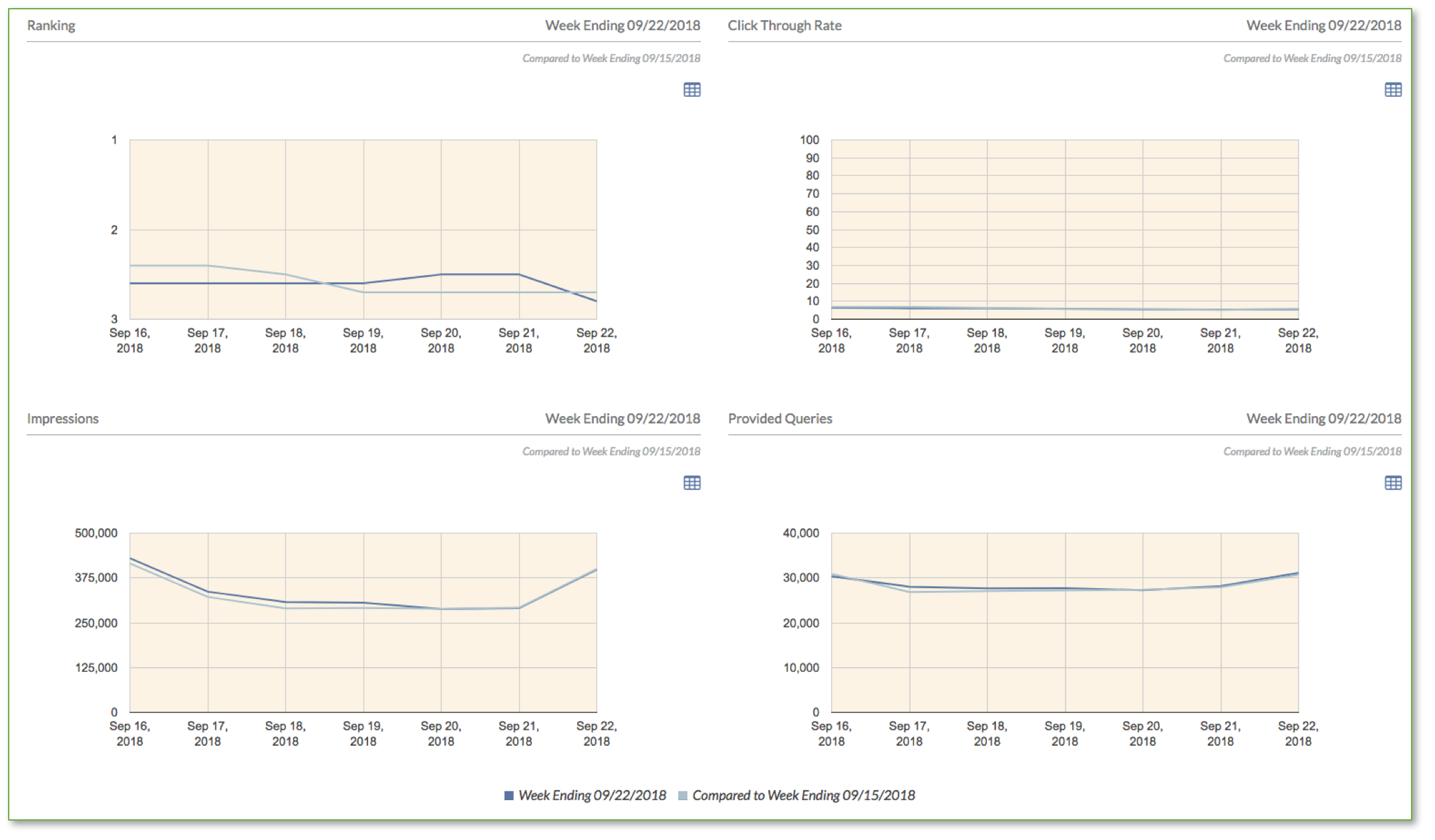
You can also compare average ranking (for all queries), average click through rate, impressions, and number of queries that site is visible for. If all has gone well, you shouldn’t see any substantial changes. In this example, you can see everything is steady (the charts below are week over week comparisons). The ranking decline is from 2.5 to 2.8, so is negligible.
You can generate similar reports for desktop devices and for only branded queries, only non-branded queries, or for a particular category of query. (You may want to look at the more granular category-level data if you do see an impact in order to pinpoint where the issue might be.)
Below is an example from another site that shows Google organic traffic from non-branded queries and desktop devices. This chart compares the week ending 9/22/18 to the previous week.
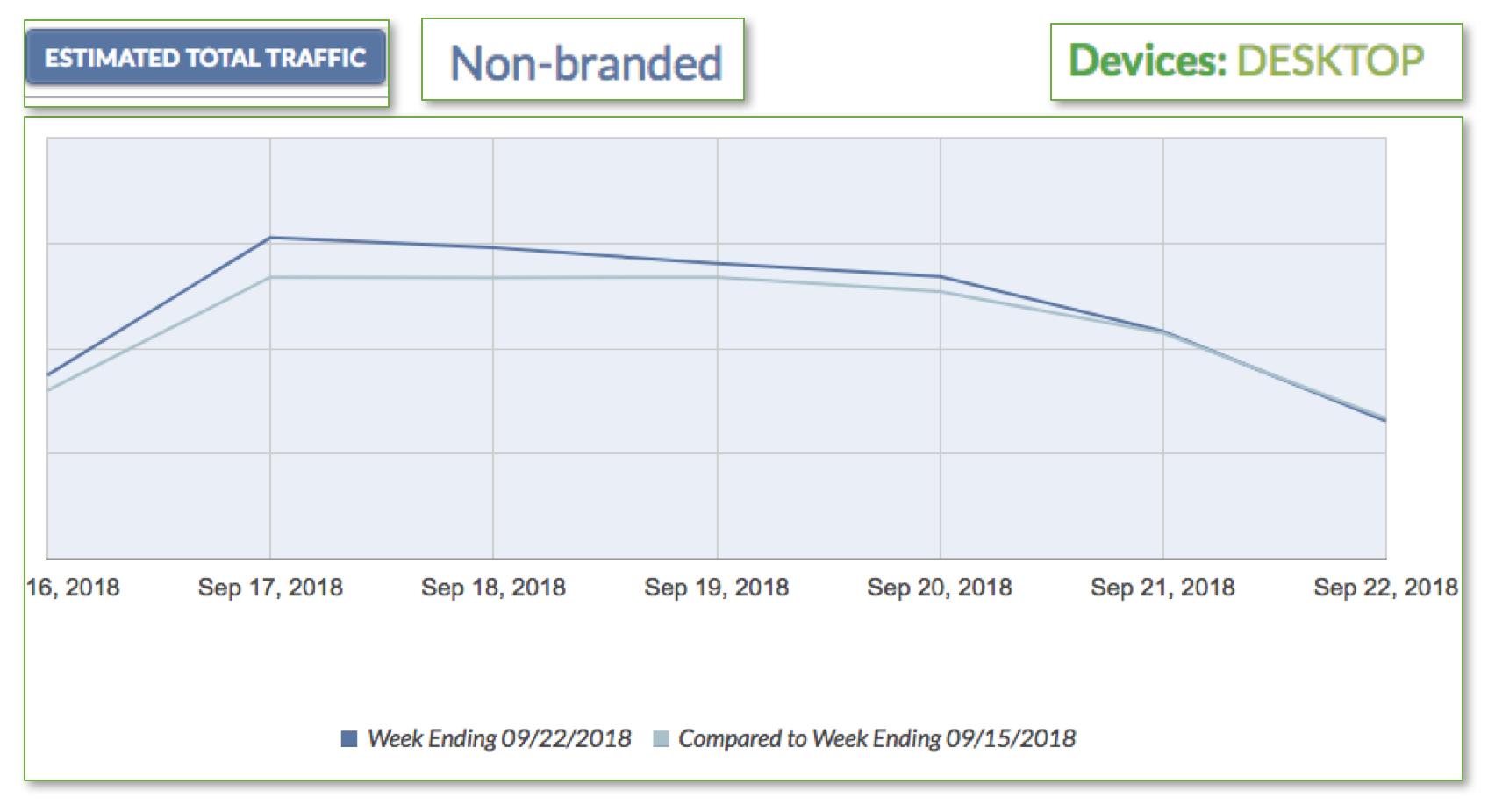
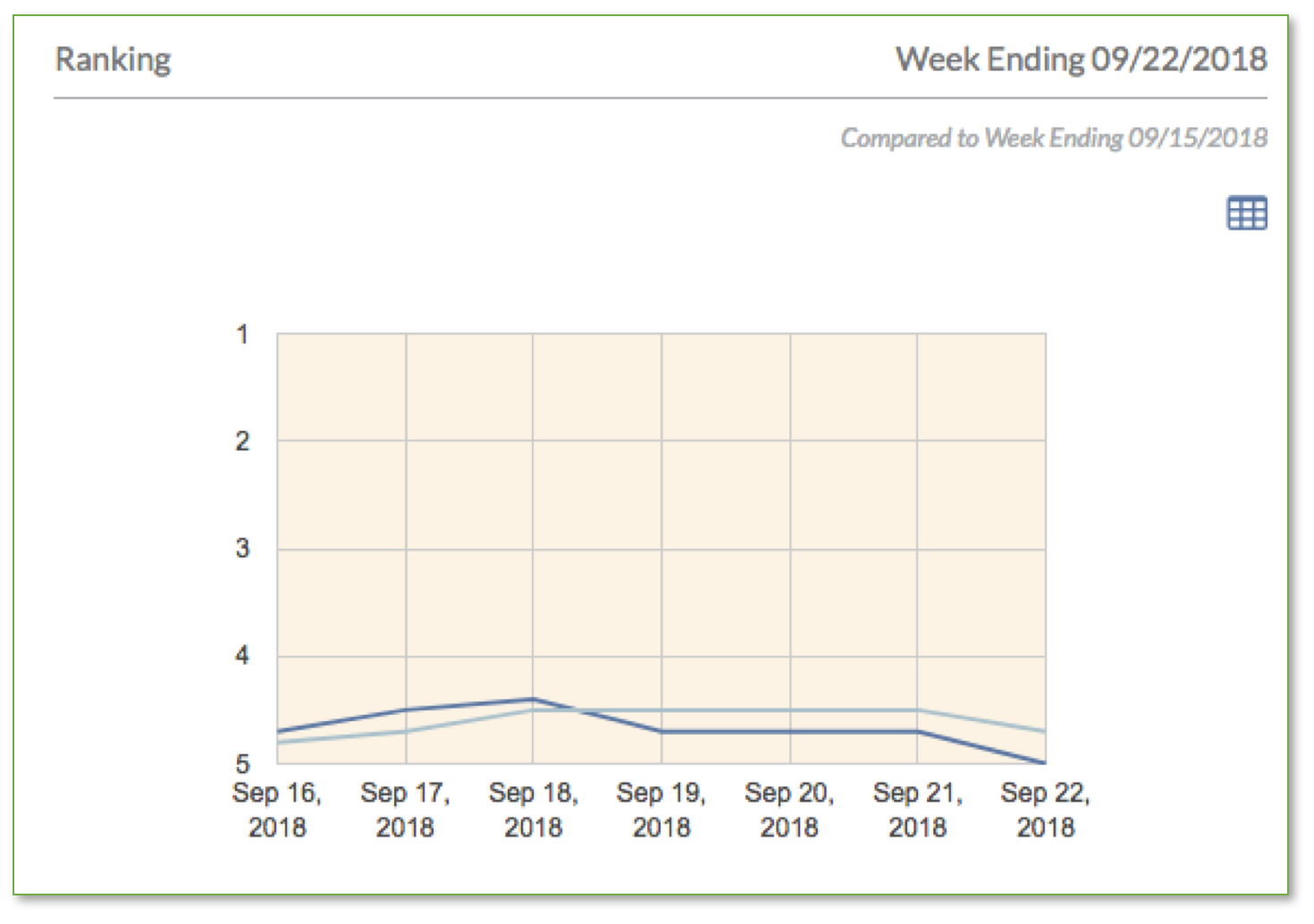
If all has gone well, you shouldn’t see much of a difference in ranking or traffic. If you do see a loss of traffic, ranking, click through rate, or query visibility:
- The desktop version of the pages may have substantially different (or less) content. Compare the versions (including page content, titles, and internal link structure) for any major differences. (Note that expanding content can still be extracted by Google.)
- If only click through rates have changed, check the titles, meta descriptions, and structured data available for the mobile version. Are these different than for the desktop version?
Note that after the switch, Google’s cache of the pages may be missing. This is a temporary Google bug and doesn’t have any impact on crawling, indexing, or ranking (and doesn’t indicate a problem with the site).
One other thing to note is that once Google enables mobile-first indexing for a site, that switch is permanent. So if the site later changes platforms or in some other way changes the parity between desktop and mobile devices, Google won’t note the change and switch the site back. So once your site has been switched, ensure any future technical changes continue to ensure that content and internal links are available for mobile devices.
See Google’s documentation on mobile-first indexing here.
If you have any questions about Keylime Toolbox Crawl Analytics or Query Analytics, just email us at support@keylimetoolbox.com or start your free trial of Query Analytics here!